
How to Wipe Your Digital Footprint: 5 Simple Steps to Reclaim Your Privacy

How to Wipe Your Digital Footprint: 5 Simple Steps to Reclaim Your Privacy
Every click, post, and search we make online leaves behind a trail — one that tells more about us than we might realise. With the internet deeply woven into daily life, many people have started wondering what it truly means to “disappear” online and take control of their own data. Recently, a viral post by tech creator Patrick’s AIBuzzNews on X (formerly Twitter) gained massive attention for explaining how anyone can erase their digital footprint and start afresh. Viewed over 700,000 times, his guide breaks down the process into easy-to-follow steps that can help anyone regain privacy and reduce their online exposure.
Here’s a step-by-step breakdown of how you can clean up your digital presence and protect your privacy for good.
1. Erase Your Traces

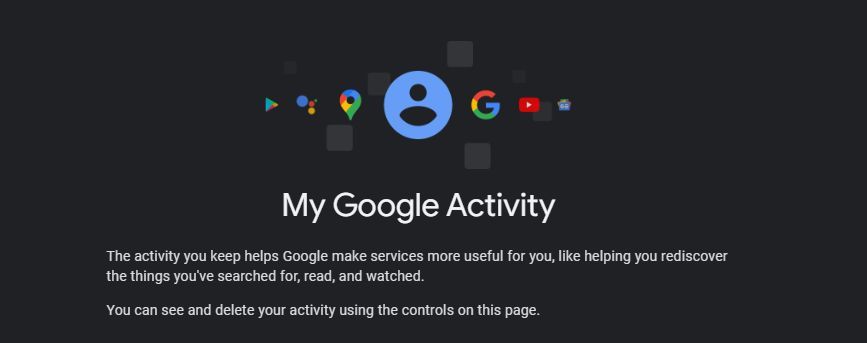
The first step to disappearing online is deleting your past activity from Google. Head to myactivity.google.com and sign in to your account. You’ll find a detailed history of your activity across Google’s services — everything from Maps searches to YouTube videos and image lookups.
I deleted my entire digital footprint.
— Patrick's AIBuzzNews (@AIBuzzNews) October 24, 2025
You can too.
Here's how I did it:
To clear this data, select the “Delete activity by” option at the top left. A box will pop up offering choices such as “Last Hour,” “Last Day,” “All Time,” or “Custom Range.” Choosing “All Time” will let you remove everything, or you can select specific dates using the custom range option. You can also delete data from specific Google products like Search, Maps, or YouTube. This is the foundation of cleaning up your online footprint.
2. Go Invisible
Once the old data is gone, the next step is to stop new data from being tracked. Visit the “Activity Controls” section in your Google Account settings and turn off Web & App Activity, Location History, and YouTube History.
Patrick calls this “one option away” from becoming invisible within Google’s ecosystem. When these settings are disabled, Google stops logging your searches, locations, and watched videos, keeping your online movements private going forward.
3. Stay Private
After removing old traces and stopping new tracking, it’s time to strengthen your privacy settings. In your Google Account, go to Data & Privacy and turn off all activity tracking options. This ensures that your app usage, location information, and YouTube history aren’t being quietly stored in the background. It’s an extra layer of defence against unwanted data collection.
4. Automate Privacy
You don’t have to repeat these steps every few months. Google lets you automate data deletion so your account stays clean. Visit myactivity.google.com/auto-delete and choose from Web & App Activity, Timeline, and YouTube History. Enable the Auto-delete feature to remove activity automatically after 3, 18, or 36 months.
This automatic cleanup — what Patrick calls “automating privacy” — ensures your account stays fresh without constant manual effort.
5. Secure Your Connection
Even a perfectly clean account won’t help much if your connection isn’t private. Patrick suggests using a VPN (Virtual Private Network) to hide your online activity and pairing it with a privacy-focused browser or search engine.
Popular privacy tools include search engines like DuckDuckGo, Brave Search, or Startpage, and browsers such as Tor, DuckDuckGo Browser, or Firefox (with privacy settings enabled). Also, make it a habit to update your passwords every three to six months. While simple, this practice is one of the most effective ways to protect yourself from security breaches and hackers.
Deleting your digital footprint isn’t just about vanishing from the internet — it’s about taking back control of your personal data. The process might seem tedious at first, but once done, it gives you a sense of freedom and awareness about how your information is used. Privacy is no longer a luxury; it’s a personal responsibility in a world that’s always online. Staying private requires consistency, but the peace of mind it brings is worth every click.