Google Pay Pocket Money Feature: Viral Scam Claims Debunked as UPI Circle Offers Safe Controlled Payments
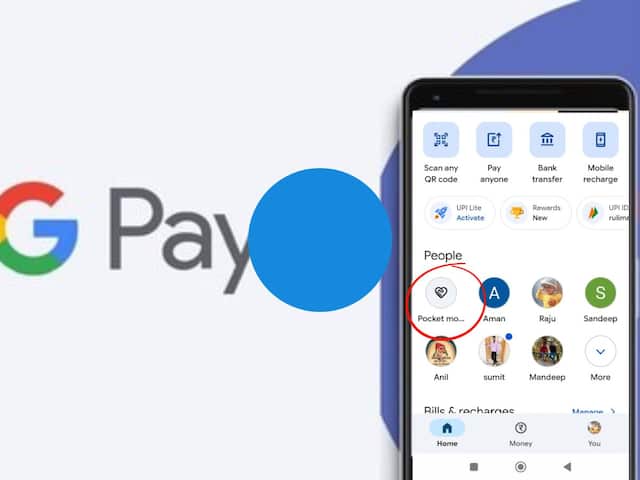
Google Pay Pocket Money Feature: Viral Scam Claims Debunked as UPI Circle Offers Safe Controlled Payments
Confusion has been spreading rapidly across social media platforms like WhatsApp and YouTube regarding Google Pay’s “Pocket Money” feature, with several viral messages falsely claiming that it is a scam that can drain users’ bank accounts. These misleading posts have created unnecessary fear among many users, particularly senior citizens and parents, making them believe that the feature is unsafe or linked to cyber fraud.
In reality, this feature is completely legitimate and officially developed under the National Payments Corporation of India (NPCI) framework using UPI Circle technology. Rather than posing a risk, it is designed to enhance safety and convenience in digital transactions by allowing controlled access to a bank account while keeping full authority with the account holder.
Understanding the GPay Pocket Money (UPI Circle) Feature

The Pocket Money feature on Google Pay enables a bank account holder, referred to as the Primary User, to grant limited payment access from their account to another trusted individual, known as the Secondary User. This becomes especially useful for family members such as children or elderly relatives who may not have their own bank accounts but still need to make digital payments.
The Primary User is the person whose bank account is linked to Google Pay and who has full responsibility over transactions. The Secondary User, on the other hand, can be a dependent such as a child, senior citizen, or helper who is allowed to use UPI payments through the primary account under strict controls. A single primary account holder can add up to five secondary users.
How Spending Control and Authorization Work
A major highlight of this feature is the flexible control system it provides. The Primary User can set a monthly spending limit of up to ₹15,000 for each Secondary User, allowing them to make payments within that limit without requiring approval each time.
If no spending limit is defined, the system operates on a transaction-by-transaction approval model. In this case, every payment initiated by the Secondary User sends a request to the Primary User, and the transaction is completed only after approval using the UPI PIN.
This ensures that complete financial control remains with the account owner, who can monitor and authorize every payment activity.
Requirements for Activation
To use this feature, a few basic requirements must be fulfilled. The Secondary User’s mobile number must be saved in the Primary User’s contact list. Both users are required to have the Google Pay app installed on their devices. Additionally, the Secondary User must have either a UPI ID or a UPI Circle QR code to proceed with setup.
How to Enable Pocket Money on Google Pay
The setup begins by opening the Google Pay application and accessing the profile section. From there, the user must select the UPI Circle option and choose “Set up pocket money.” The next step involves selecting a contact or scanning a QR code of the person who needs to be added.
After that, the Primary User chooses the preferred control mode—either a fixed monthly limit or approval required for every transaction. Basic details of the Secondary User, including their relationship and Aadhaar number, are then entered. The process is completed after confirming the setup using the UPI PIN.
Why Identity Verification is Necessary
Identity verification for Secondary Users is mandatory as part of regulatory and security requirements. This ensures that all linked users are properly recorded and that the system remains secure against misuse. The information collected is used strictly for verification and compliance purposes, helping authorities track any suspicious activity if needed.