Clear Your Car RC from Home Online After Loan Repayment: Hypothecation Removal Now Possible Via VAHAN Online Portal
Clear Your Car RC from Home Online After Loan Repayment: Hypothecation Removal Now Possible Via VAHAN Online Portal
Vehicle owners who have repaid their car loans can now remove the lender’s hypothecation clause from their Registration Certificate online, making ownership records fully updated without repeated RTO visits.
After paying off a car loan, many vehicle owners assume the process is complete. However, an important step still remains — updating the Registration Certificate (RC) to remove the lender’s name from government records. This clause, known as hypothecation, marks the vehicle as collateral until the loan is officially closed in the transport database.
A vehicle’s RC carries a hypothecation entry when it is purchased through financing. Even after repayment, if the clause is not removed, the lender’s name will continue to appear in official records. This can create problems later, especially if the owner wants to sell the car, transfer ownership, or ensure the RC reflects clear ownership.
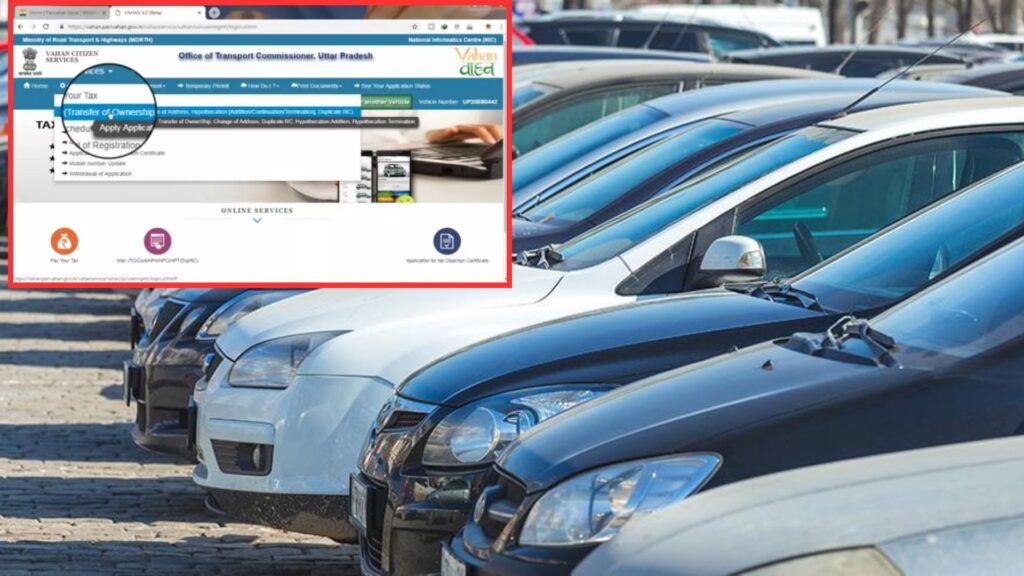
The process of removing this clause is called hypothecation termination. Transport services now allow this procedure to be completed online through the VAHAN portal, enabling vehicle owners to submit details, upload documents, and pay the required fee from home.

However, the process may still vary by state. In some states, while the online application can be completed digitally, vehicle owners may still need to submit a hard copy of Form 35 to the vehicle registration authority and the lender for final removal of hypothecation from the RC.
To complete the hypothecation termination process smoothly, owners must keep the necessary documents ready. These include the No Objection Certificate (NOC) from the lender, RTO Form 35, a valid insurance certificate, and the original RC of the vehicle.
The official VAHAN website provides a step-by-step process for applicants.
Step 1: To avail the service, user has to Login on “vahan.parivahan.gov.in/vahaneservice/“
Step 2: On successfully login, click on “Online Services” and select “Vehicle Related Services”.
Step 3: Enter registration number, chassis number and click on generate OTP!.
Step 4: On the registered mobile number, OTP will receive. Enter the OTP and Click on Submit Button.
Step 5: Select ‘Hypothecation Termination’ and click on ‘Submit’.
Step 6: Click on ‘Hypothecation Termination’ under ‘Service Details’ in the Status block on the left. Click on the ‘Delete’ icon.
Once completed, the RC will reflect full ownership, with the lender’s name removed from official records.